What is an
Agentic Keyboard?
An Agentic Keyboard is a mobile keyboard with an invisible AI agent inside every text field. It doesn't just produce words — it takes action on your behalf, right where you're typing, without ever leaving the app you're in.
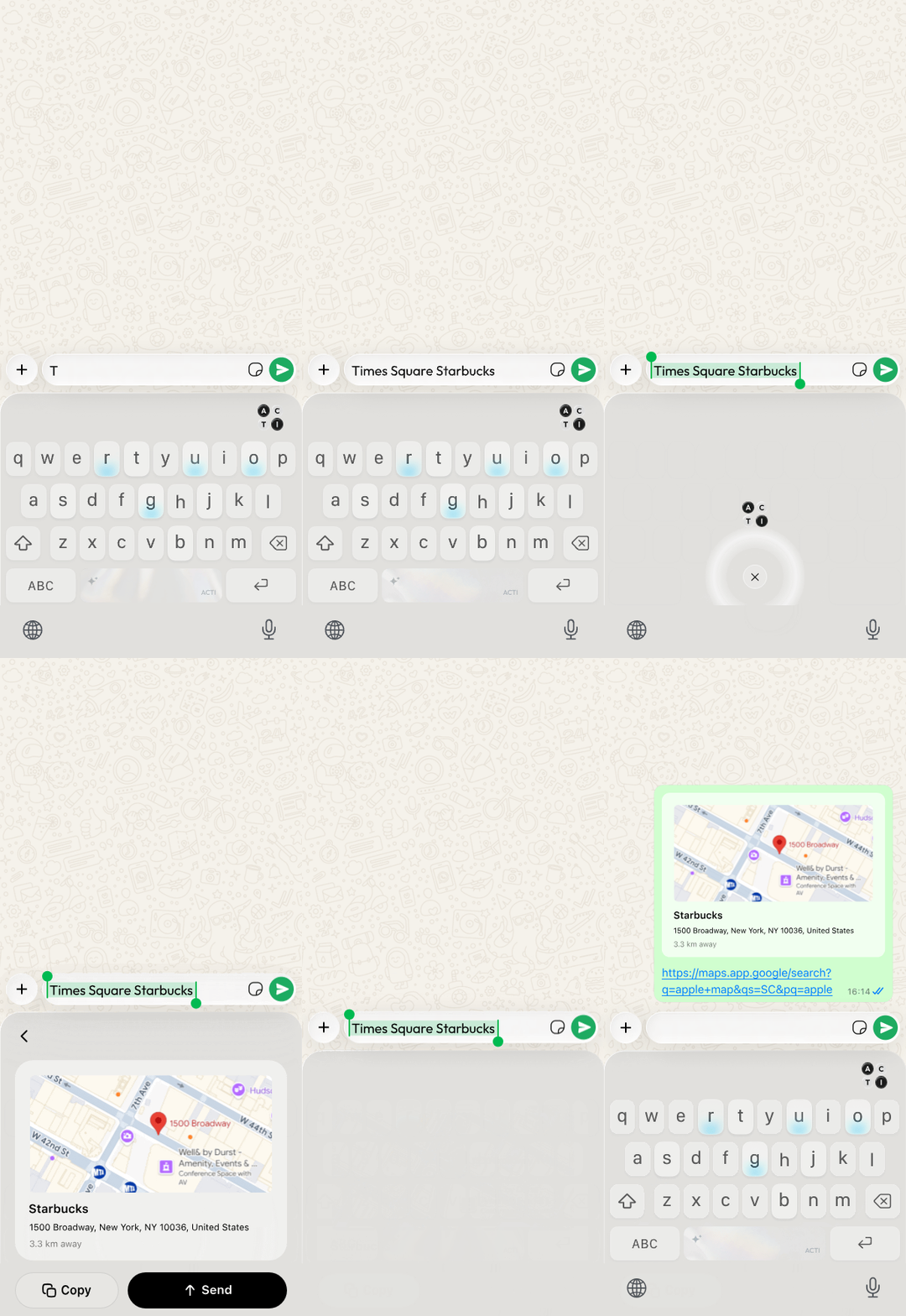
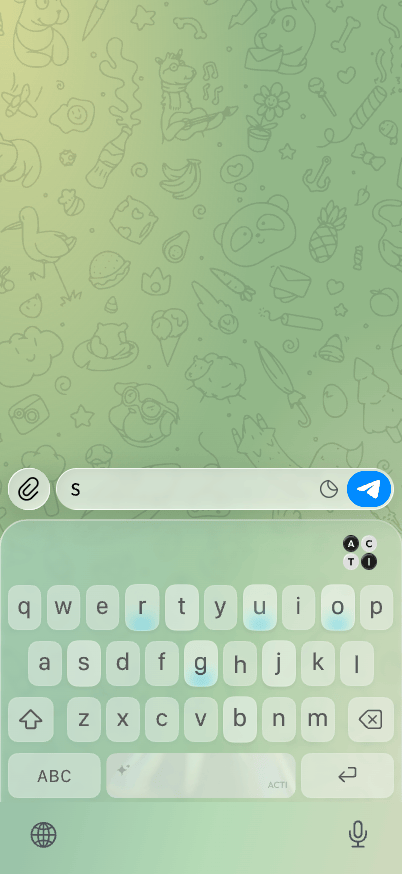
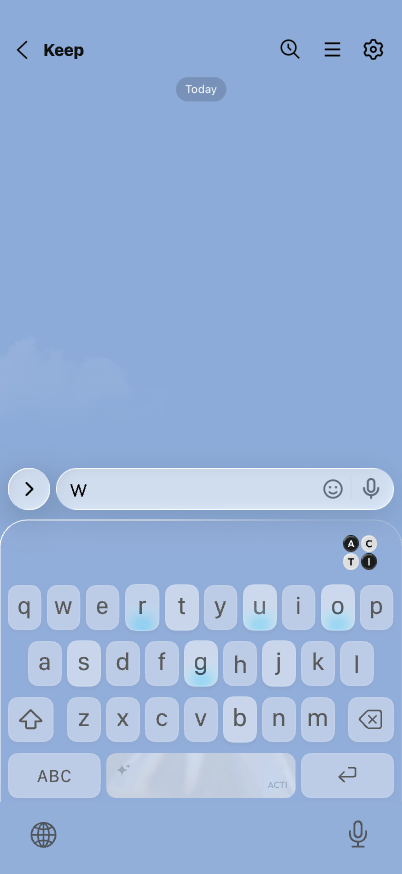
Type a place. Acti picks it up and drops a live map link into the message — no app switch.
It doesn't predict your next word. It takes your next action.
A mobile keyboard with an AI agent built into every text field. Where a normal keyboard turns keystrokes into text, an Agentic Keyboard turns intent into action — finding a link, drafting a reply, creating a meeting or running a workflow — and completes it inside any app, without switching away.
The name says it: at the core is an AI agent— software that doesn't just answer a question, but takes the steps to carry out a task. Put one inside your keyboard, and every text field turns into a place to get things done.
For most of computing history the keyboard has had one job: turn keystrokes into text. Every improvement — autocomplete, swipe typing, voice dictation — was just a faster way to do that same single thing. An Agentic Keyboard breaks the pattern: it reads not just what you typed, but what you're trying to do, and then does it — and the output isn't a cleaner sentence, it's a completed action: a link found, a document pulled, a meeting created, a reply drafted.
The keyboard stops being a tool you type into, and becomes an agent that acts for you — in every text box on your phone.
Traditional, Voice, AI, Agentic — four keyboards.
| Dimension | Traditional | Voice | AI | Agentic |
|---|---|---|---|---|
| Main role | Input text | Speak instead of type | Improve text | Take action |
| Core value | Typing | Hands-free input | Writing assistance | Intent execution |
| Typical output | Characters | Transcribed text | Better sentences | Links, replies, summaries, workflows, Acts |
| User behavior | Type manually | Dictate aloud | Ask AI to rewrite | Trigger actions from context |
| Surface | Text field | Text field | Text field | Any text field as an action layer |
| Extensibility | Fixed keys | Fixed dictation | AI features | Custom Acts |
In simple terms: a traditional keyboard helps you type. A voice keyboard lets you dictate. An AI keyboard helps you write better. An Agentic Keyboard helps you act.
Type. Hold. Review. Done.
An Agentic Keyboard sits inside every app — messages, email, notes, social, anywhere there's a text field. The whole loop is simple enough to become a reflex — and you stay in control of every action.
Type what you need
In plain language, in whatever app you're already in — no special syntax, no command line. Type it, or speak it; the input doesn't matter.
Hold the space bar
Hold the space bar to open the Acti Wheel, then slide to Acti AI or one of your Acts. The agent reads not just your words but the intent behind them — what you actually want to happen.
Review the result
The agent does the work and shows the result right there in the keyboard — a link, a reply, a summary, a meeting. Depending on the Act, it replaces your text, inserts at the cursor or shows a preview.
Keep it, or run again
Keep the result, or tweak your words and run again. Acti drafts and inserts — it never sends for you — and it asks for confirmation before acting in a connected app.
How Acti works as an Agentic Keyboard
Acti brings actions into the keyboard through the Acti Wheel, the Act Panel, and custom Acts. It turns every text field into an action surface.
Acti Wheel
Hold the space bar to reach Acti AI and your favorite Acts from any app.
Act Panel
Tap Act on your keyboard to see your Acts and run one, such as creating a meeting link or drafting a reply. You can also assign an Act to a letter key and hold that key to run it.
Custom Acts
Build your own Acts, or add Acts from the Community, to match your personal workflows.
What can an Agentic Keyboard do?
These examples are Featured Acts with their own pages, so you can open the detail page and try the Act in Acti.
Create a Google Meet link
Create an instant Google Meet link and drop it into the chat you are in, with no calendar event to set up first.
Detail X ReplyDraft an X reply from a copied link
Copy an X post link, add your stance, and get a reply draft that fits the post.
Detail Understand Any LanguageTranslate copied text to English
Copy text in another language and read it in English above your keyboard.
Detail Schedule ItPut a plan on your calendar
Type a plan in plain words and turn it into a Google Calendar event.
Detail Save to NotionSave what you copied to Notion
Copy text and save it as a titled, organized document in your Notion workspace.
Detail Read Between the LinesRead the subtext before replying
Copy a message and see the intent, tone, and subtext behind it before you reply.
DetailBuild your own Acts — in plain language.
These actions aren't features Acti hard-coded. Each one is an Act — and anyone can build one by chatting with Acti Agent, with no coding required, then keep it private or publish it to the Community for others to add to their own keyboards.
Describe it, in plain words
Tell Acti Agent what you want to happen. Review the plan it proposes, then save it as an Act — no code, no config.
Keep it, or share it
Keep an Act private, or publish it to the Community so anyone can add it or remix it.
Acts built and shared by the Community.
Apple's and Google's keyboards are closed systems only their makers can change. Acti is the first to make the keyboard an open, programmable platform.
Connected to everything you already use.
An agent is only as useful as what it can reach. Acti connects two ways — connect your own accounts with secure OAuth (Gmail, Slack, Notion, your calendar and more), or use built-in APIs with no setup required: 300+ connections in all. Either way the action runs right inside your keyboard — nothing to open, nothing to copy-paste.
 Gmail
Gmail Slack
Slack Notion
 Google Calendar
 Google Meet
 Calendly
And because Acts are built in plain language, any service with an API can become a new Act — no code, and no waiting for an official integration.
Acti vs Gboard, Grammarly & Wispr Flow
Every keyboard before Acti was built to help you produce text — faster, cleaner, or hands-free. Acti adds the layer none of them have: it turns that text into a completed action. Here's where the lines fall.
| Gboard | Grammarly | Wispr Flow | Acti | |
|---|---|---|---|---|
| Category | Predictive keyboard | Writing assistant | Voice dictation | Agentic keyboard |
| What you get | Faster typing | Cleaner writing | Speech → text | A completed action |
| Voice input | ✓ | — | ✓ | ✓ |
| Fixes & rewrites text | Basic | ✓ | ✓ | ✓ |
| Takes actions for you | — | — | — | ✓ |
| Connects to your apps & APIs | — | — | — | ✓ 300+ |
| Build your own Acts, no code | — | — | — | ✓ |
Each product is compared in its primary role — Gboard (Google) as a predictive keyboard, Grammarly as a writing assistant, Wispr Flow as voice dictation. All three are excellent at producing text; Acti is built to act on it.
Why not just use ChatGPT or Siri?
If an AI can already answer you, why put one in the keyboard? Because answering and acting aren't the same — and where the agent liveschanges everything. ChatGPT and Siri are places you go; Acti is already where you're typing.
ChatGPT
Powerful, but it lives in its own app. You leave your conversation, type the request, then copy the answer back — the work happens in another window.
Siri
Handy for quick voice commands, but it doesn't compose or take action inside the text field you're already in — and most real tasks fall outside what it can do.
Acti
No app to open, no copy-paste. The agent lives inside every text field and acts right where you're typing — typed or spoken, in any app.
ChatGPT and Siri are assistants you go to. Acti is an agent that's already where you work.
Why the Agentic Keyboard is possible today
The idea isn't new because no one wanted it — it's new because it only just became possible. Two things had to be true.
Language models had to understand intent. Until recently, software could read your words but not your meaning. Modern AI can finally extract the action behind a sentence — the difference between recording what you typed and understanding what you want done.
And the interface was hiding in plain sight. The keyboard is the most universal surface on your phone — it appears in every app, in every text field, at the exact moment a thought becomes words. It's where intent is born. That makes it the natural home for an agent. For twenty years it sat there doing one thing. Now it can do everything.
Built by the team behind a 550M-download keyboard.
Defining a new category — and winning it — takes more than a good idea. It takes people who've shipped consumer products at scale and put a keyboard on hundreds of millions of phones. Acti's founders have done exactly that.

Spent nearly a decade at Baidu International, where he helped grow Facemoji Keyboard past 550M downloads — later ranked #9 on a16z's Top 50 Gen AI mobile apps — and co-built Yike Album, one of China's largest consumer cloud-photo products.
Agentic Keyboard FAQ
What is an Agentic Keyboard?
An Agentic Keyboard is a mobile keyboard with an AI agent built into every text field — it understands what you're trying to do and completes the action from inside the keyboard. For example, it can create a meeting link, find a Notion doc, draft an X reply, check a stock ticker, translate copied text, or analyze message tone, all without leaving the app you're in.
What can an Agentic Keyboard do?
It can run keyboard-native Acts such as creating a meeting link, summoning a Notion doc, drafting a reply, humanizing text, turning text into emoji, translating copied text, checking stock context, and reading message emotion.
How is it different from an AI keyboard?
An AI keyboard improves the words you type, by fixing grammar or rewriting sentences. An Agentic Keyboard goes further and acts on your intent. The output isn't better text — it's a completed action.
How is it different from a voice keyboard?
A voice keyboard changes how words get in — you speak instead of type. An Agentic Keyboard changes what comes out — actions instead of just text. Faster input, typed or spoken, is still just typing.
Is an Agentic Keyboard the same as ChatGPT or Siri?
No. ChatGPT and Siri are assistants you go to — you switch to an app or call them by voice. An Agentic Keyboard lives inside every text field, so it acts right where you're already typing, with no app-switching or copy-paste.
Is an Agentic Keyboard safe to use?
A well-designed Agentic Keyboard only acts when you ask it to — no silent actions, no hidden sending. You stay in control of every action, and you decide what the keyboard can access.
Where can I get an Agentic Keyboard?
Acti is the world's first Agentic Keyboard, available on iOS and Android. Hold the space bar to open the Acti Wheel and reach Acti AI and your Acts, and build your own Acts in plain language with Acti Agent.
What was the first Agentic Keyboard?
Acti is the world's first Agentic Keyboard. Launched on iOS and Android, it introduced the category along with Acts — keyboard actions anyone can build in plain language — and the Community for sharing them.
Go deeper
The rest of the Acti knowledge base — definitions, comparisons, and guides for every kind of user.
Meet Acti — the world's first Agentic Keyboard.
It doesn't predict your next word. It takes your next action.